Setting Up Your Chat Environment
Step-by-Step Instructions
Please follow these instructions carefully, and don't hesitate to contact me directly if you encounter any issues.
Option 1: Setting Up on Mistral's Website
You can access the chat through Mistral's website by following these steps:
Step 1
Visit https://chat.mistral.ai/ and click the "Sign In" button
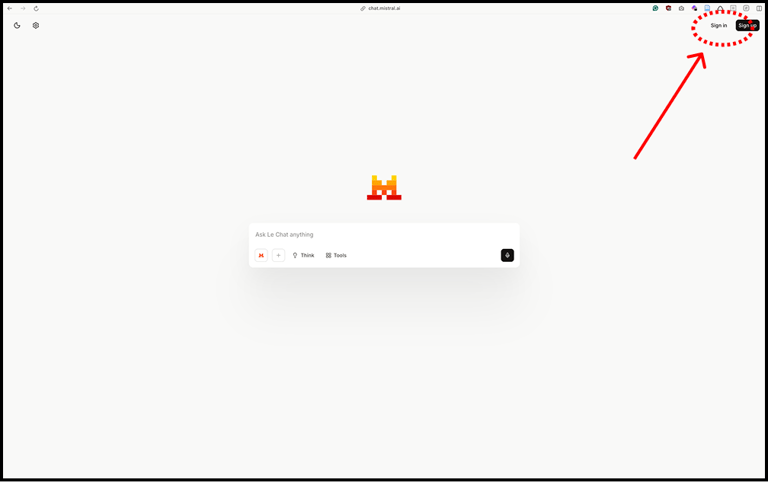
Step 2
Use the username and password provided in the email you received on the first day of the experiment
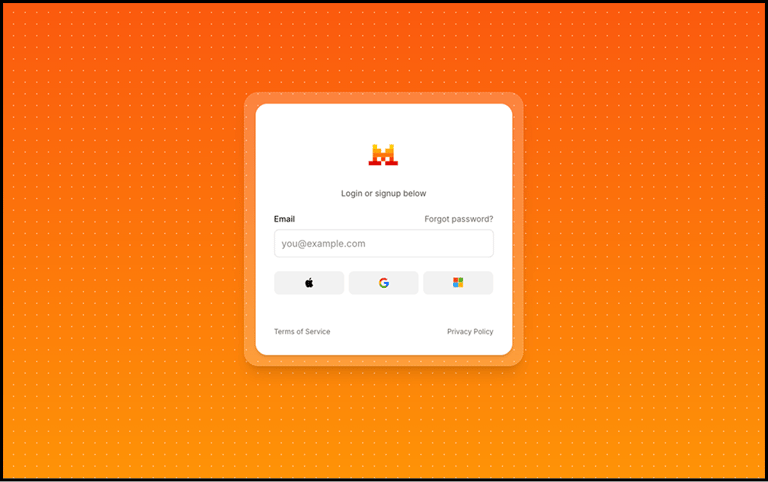
Step 3
You'll arrive at a page where you can start chatting.
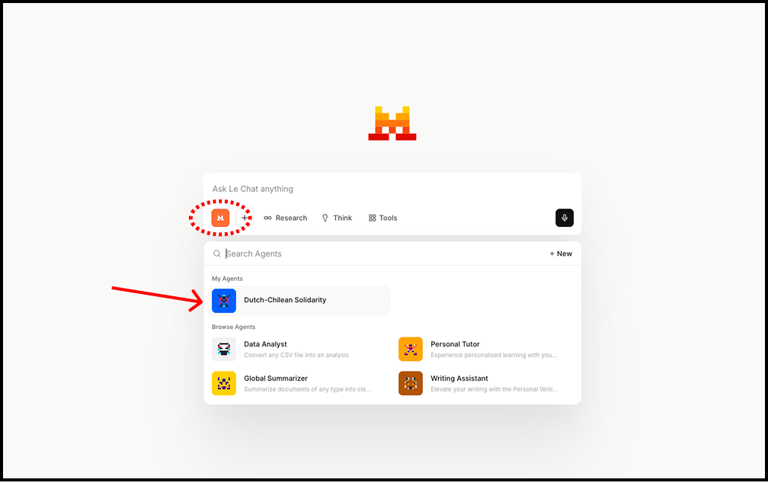
Before you begin chatting, click on the orange "M" button right below the chat window.
This will show you a series of "agents." Click on the agent called "Dutch-Chilean Solidarity"
Step 4
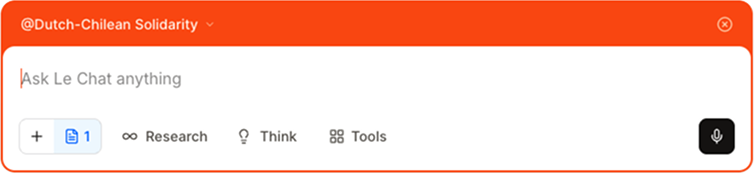
Your chat window should now have an orange frame that says "@Dutch-Chilean Solidarity." If you see this, you're ready to start!
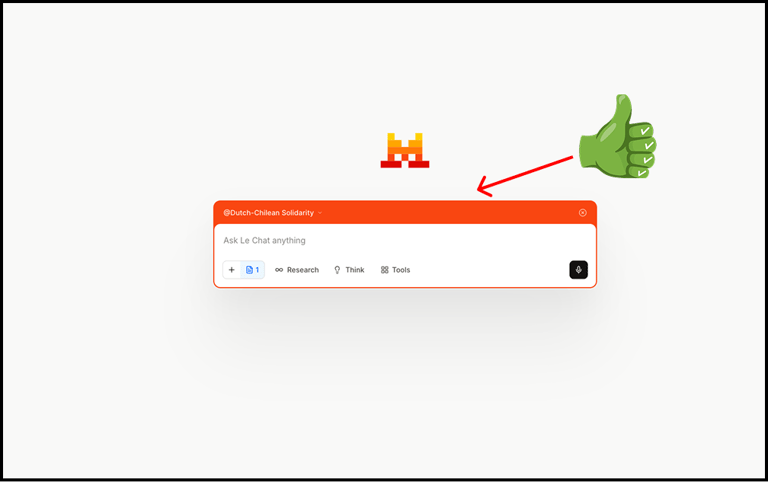
⚠️ Important: If you open a new chat window at any point, you must make sure to activate the "Dutch-Chilean Solidarity" agent again. If you don't do this, the chat will be generic and not relevant for this study.
Need Additional Help?
Feel free to contact me directly via email or text message if you encounter any technical difficulties or have questions about the setup process.
Once you're set up, you're ready to begin your conversations! Remember to engage at least 3 times during the week, and I'll send you reminder emails to help you stay on track.